Restaurant reservations and table management
DoraDine
DoraDine is the reservation book and the floor, in one place. Bookings arrive, tables fill, shifts change hands - and the host stand and the office are looking at the same evening.
Inside the product
How DoraDine is laid out
Move between the views to see where each part of the work happens.
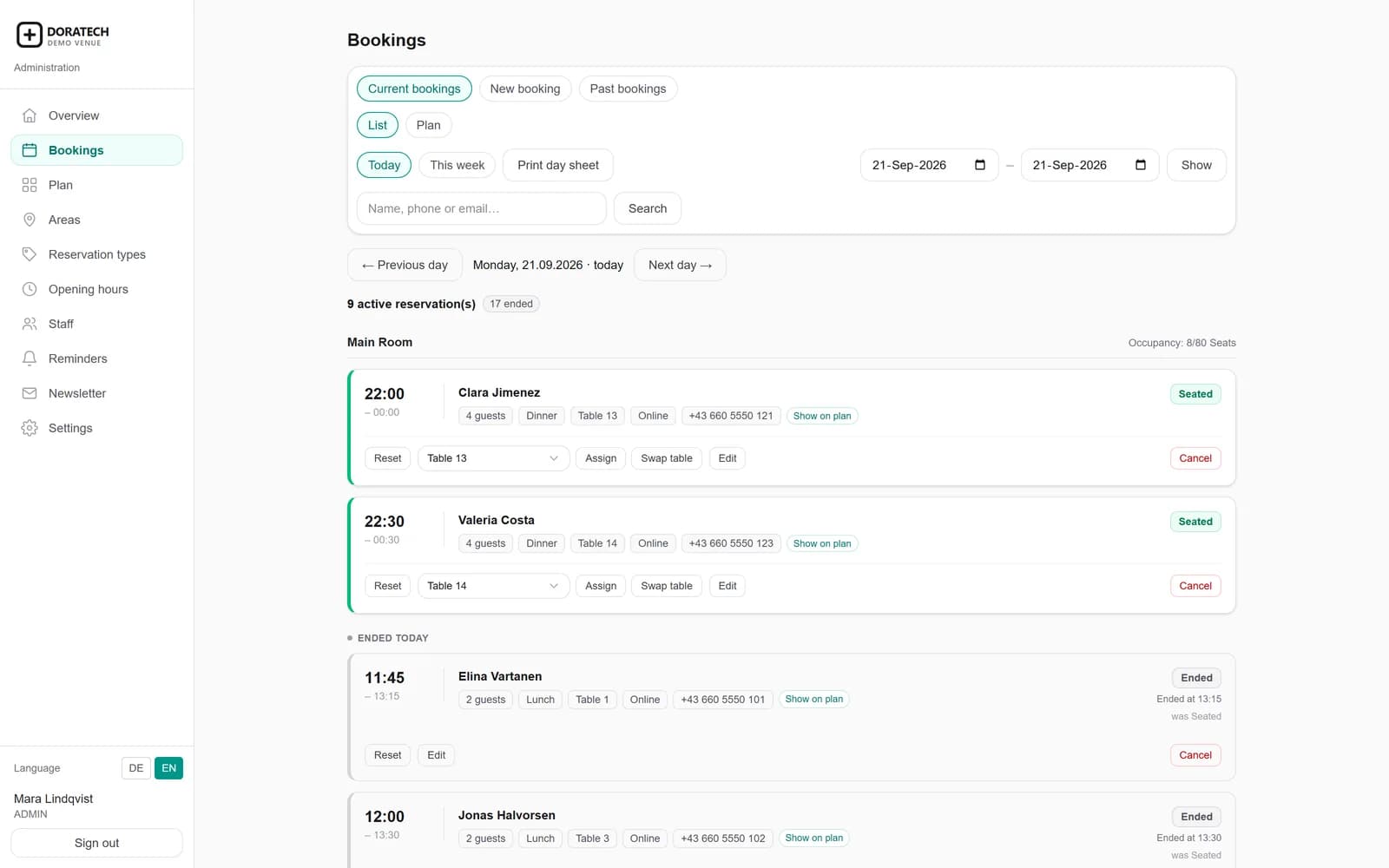
The day, in one list
Every booking for the service with its time, party, reservation type and the table it is on - and whether they are seated, still to come or a no-show. Assign or swap a table without leaving the row.
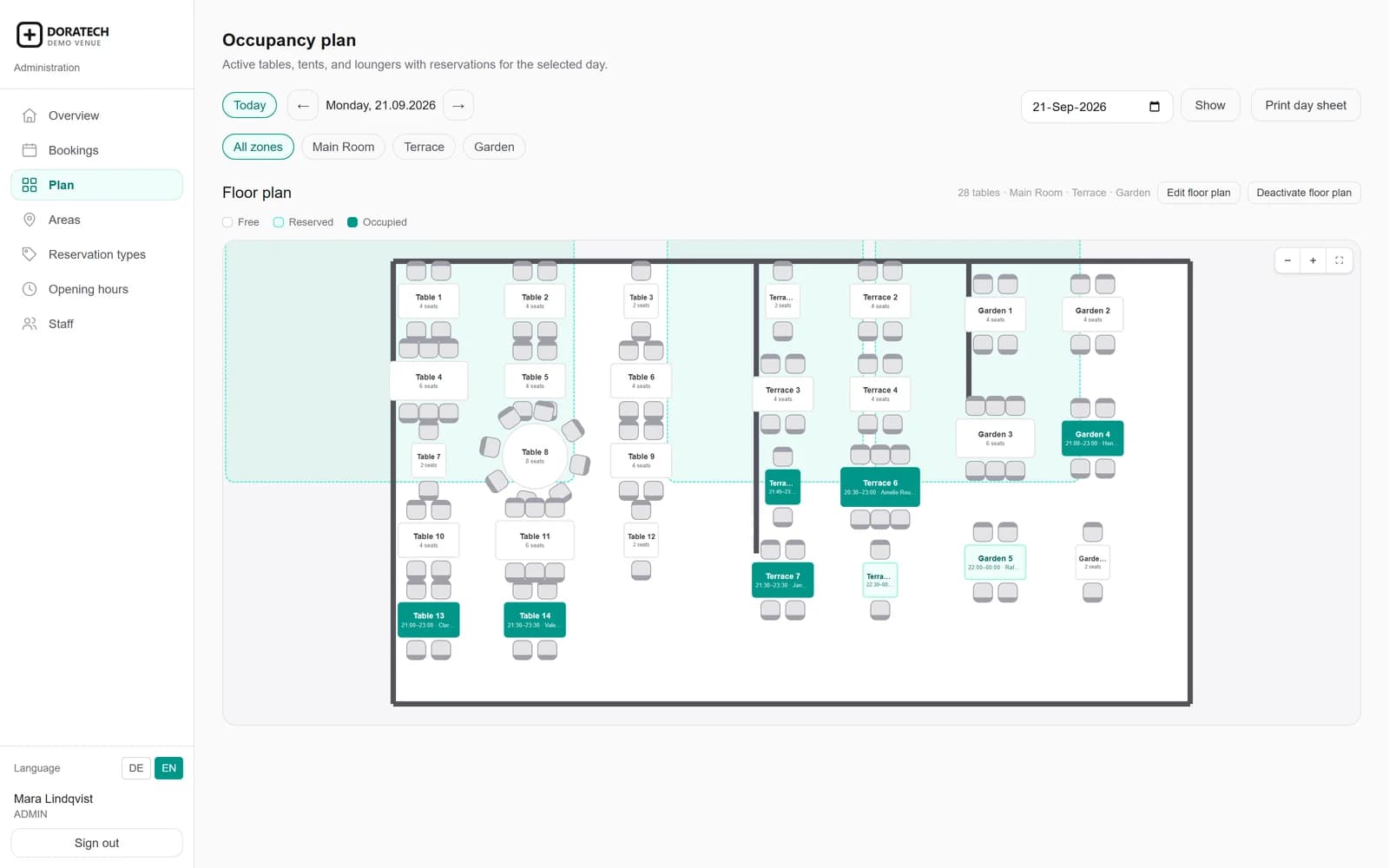
The room as it is laid out
Your actual tables in their actual positions, across every area, shaded by what is occupied, what is reserved and what is still free. The plan is the working view, not a picture of one.
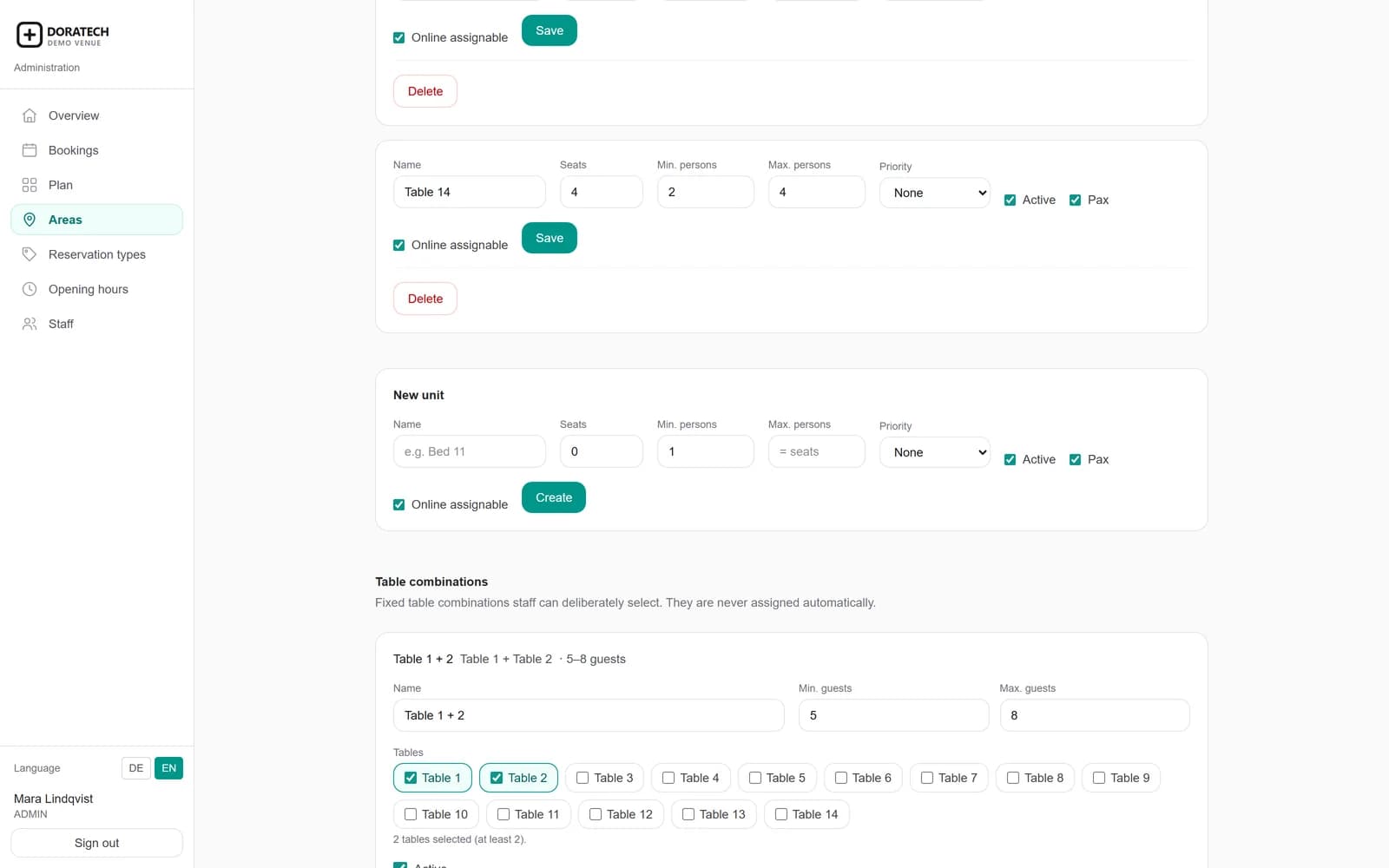
What each table seats
Per table: how many it seats, the smallest and largest party it is offered to, and whether online booking may assign it at all. Fixed combinations join tables for a bigger party and are only ever chosen deliberately.
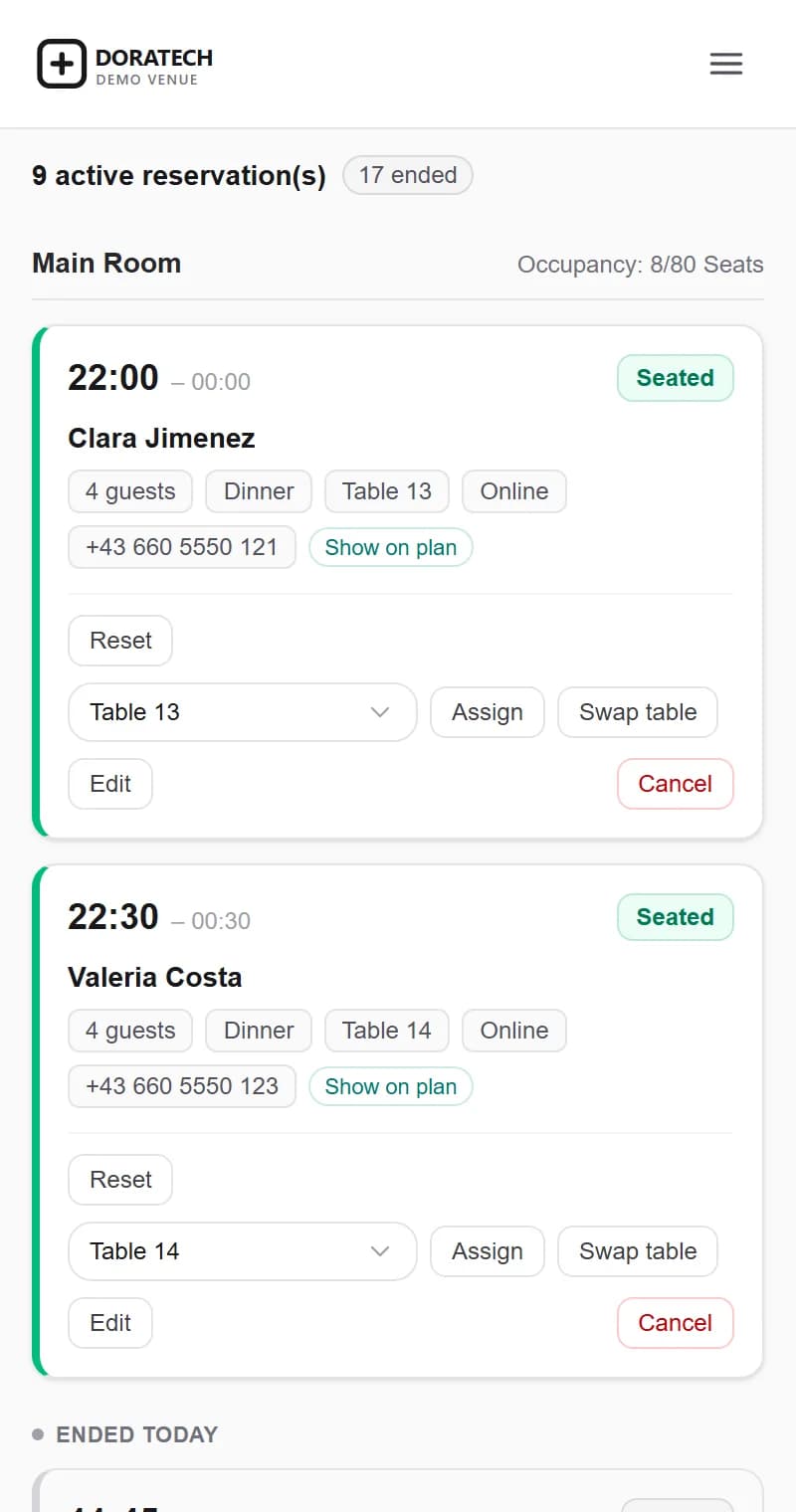
The same service, on a phone
The day's reservations on the device somebody actually has during service: who is next, how many, which table, whether they have arrived. The same information as the desk, not a cut-down version of it.
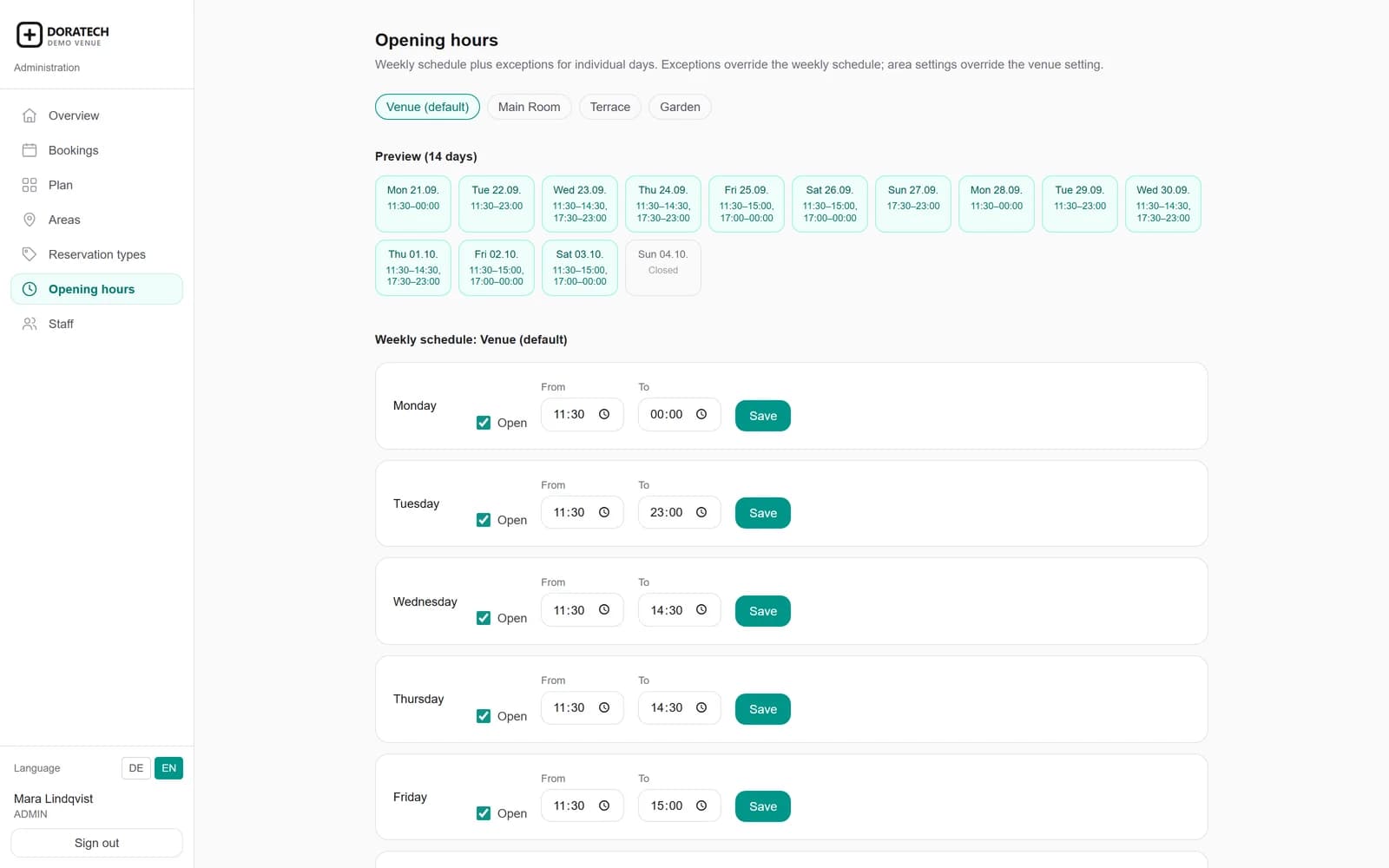
When you are open
The weekly schedule, split lunch and dinner services included, plus the exceptions: a closed day, a one-off opening, a holiday. Online booking follows this, and nothing about a season is written into code.
What changes
The difference it makes
The reasons businesses keep using DoraDine after the first month.
Fewer double bookings
Capacity lives with the table and is checked when the booking is made, so two guests are never promised the same seats.
A shorter handover
The floor is the same for the person leaving and the person arriving, which removes the ten minutes of explaining at every change of shift.
An evening you can see coming
The shape of the service is visible hours before it starts, so staffing and prep are decisions rather than reactions.
Questions
Before you get in touch
- Can guests book themselves?
- Yes. Online booking follows the same availability rules your team works with, so the two can never disagree.
- Does it work on a phone during service?
- Yes. The reservations, the table assignments and the arrivals all work at a phone's width, so the floor and the desk are on the same screen rather than the same conversation.
- What happens if we have more than one venue?
- Each venue runs as its own application, with its own floor, its own team and its own data. They stay separate by design, and you manage them from one DianeDigital account.
- Who can see guest contact details?
- The people you give access to, in your own application. DoraDine stores what a reservation needs and nothing beyond it.
Start with DoraDine
Tell us about your business and we will show you DoraDine against how you actually work.